
Hifyre Digital Displays module is a Content Management System for the design and display of inventory and promotional content. Traditionally run on the store TV’s, it can be run on any browser based device available. We have designed a system that allows for customizable content based on the store needs and desire to promote to their customer base.
The following document outlines setting up a new screen and the various template options available.
How To Setup A New Digital Display Screen
-
Log into Hifyre and select
Digital Displays. -
Select
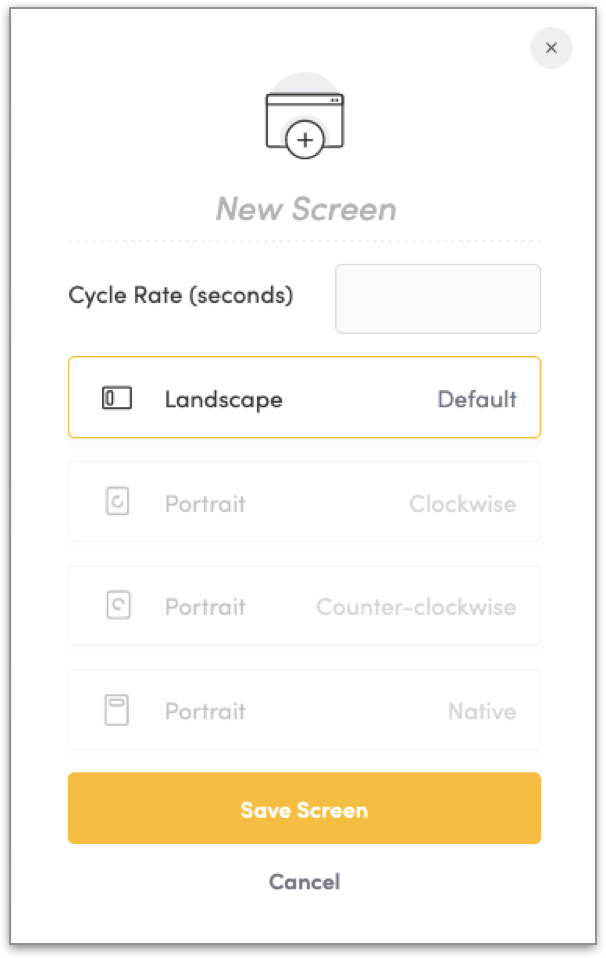
Add Screenand fill out the required parameters:-
Screen Name
-
Cycle Rate (seconds)
-
Desired orientation
-
Save Screen
-
-
Choose Templateand fill out required setup (see below for full breakdown of each template)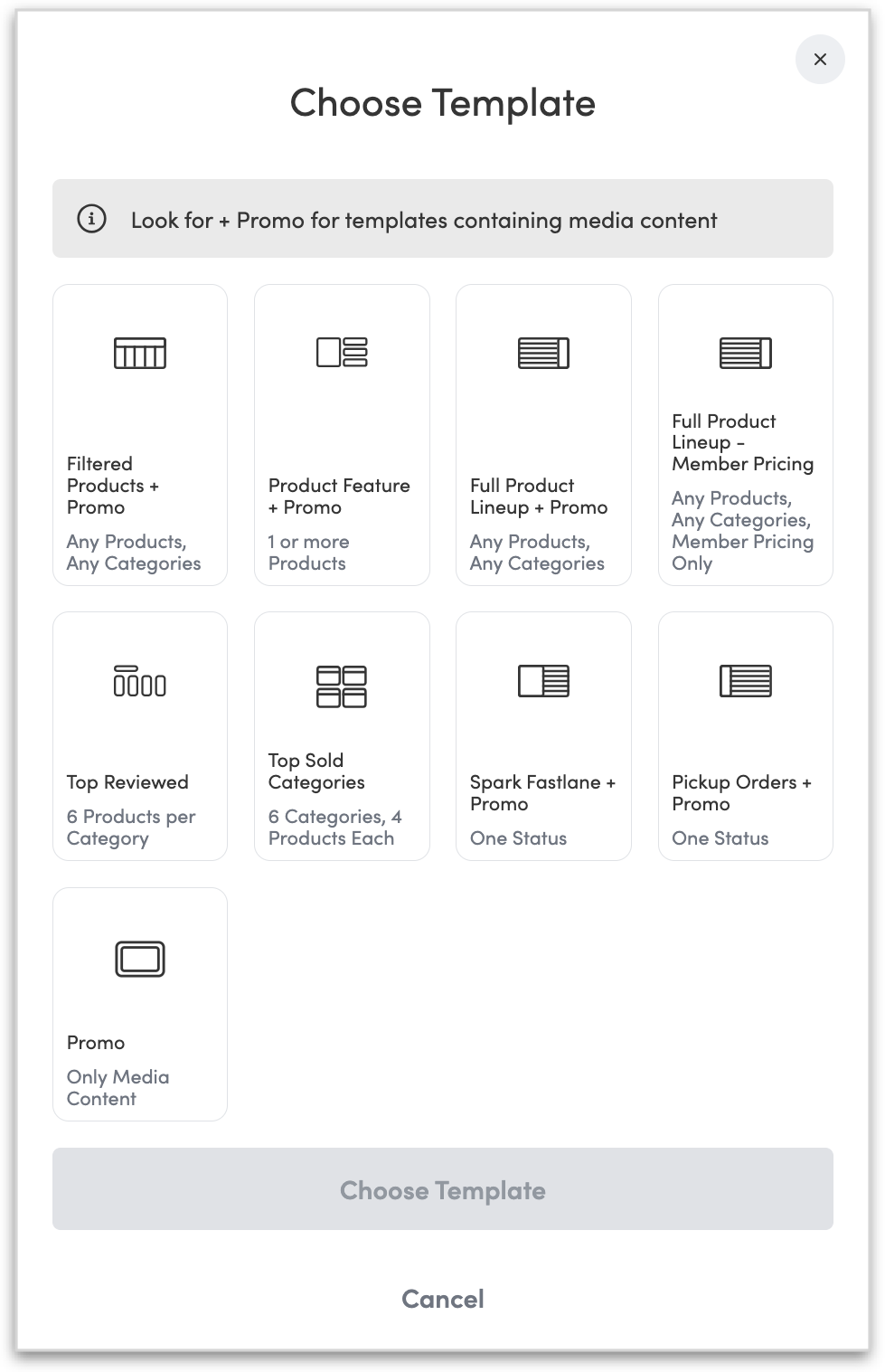
-
Don’t forget to
Save Changes! -
Launchmenu & copy URL to display content on any device in your store. Save as a bookmark to your desktop for easy access.
Digital Display Templates
Filtered Products + Promo
-
Select products using filters (similar to those on the website).
-
Product Card Display: 6 products per screen; 4 products with Ad.
-
Include title (optional).
-
Include promo ad (optional).
For a more detailed step by step set up of this menu template see Filtered Products Menu
Product Feature + Promo
-
Select individual products to feature.
-
Single product display per page.
-
Includes title : Featured | Coming Soon (if out of stock, and option selected).
-
Include promo ad (optional).
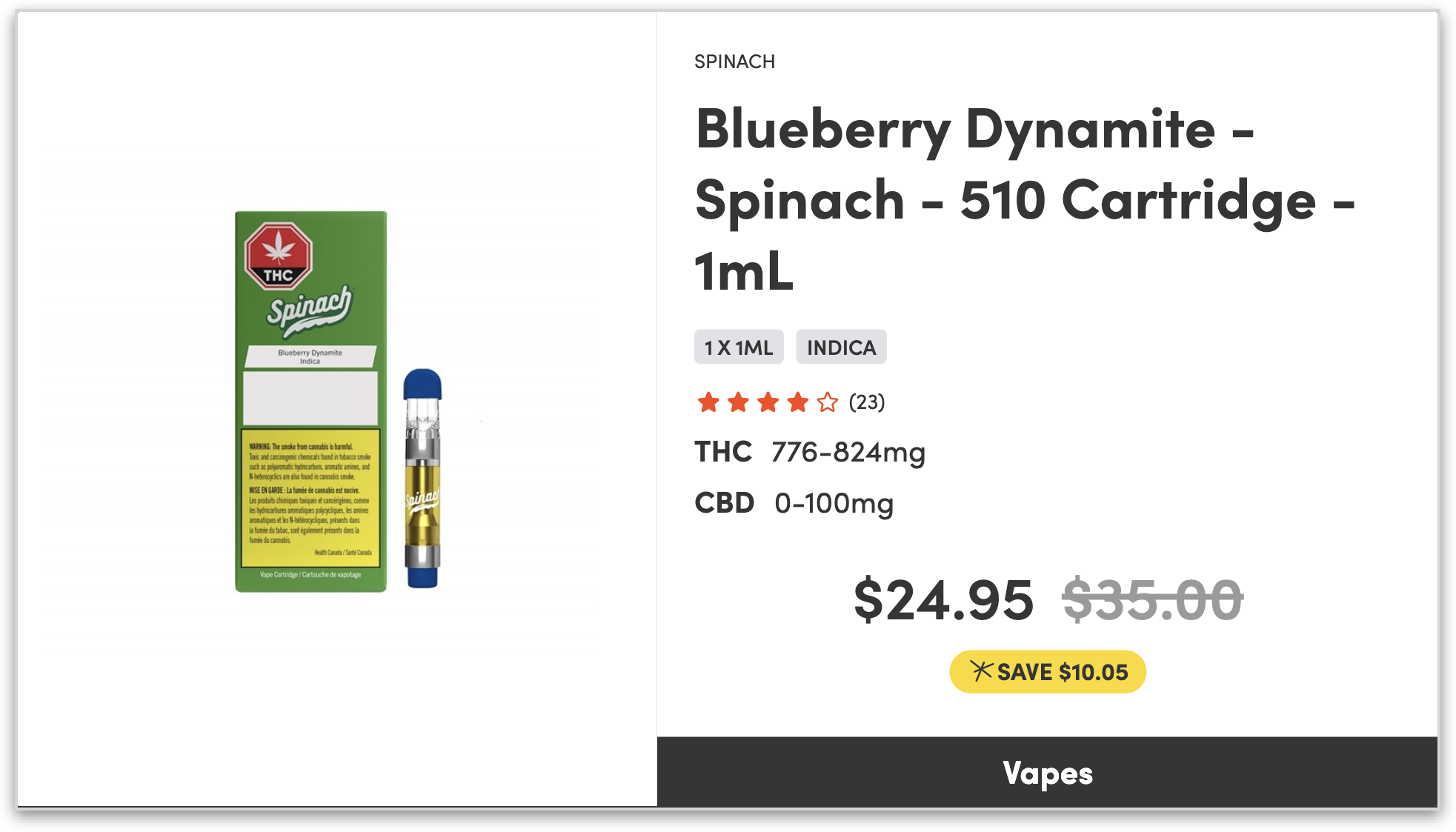
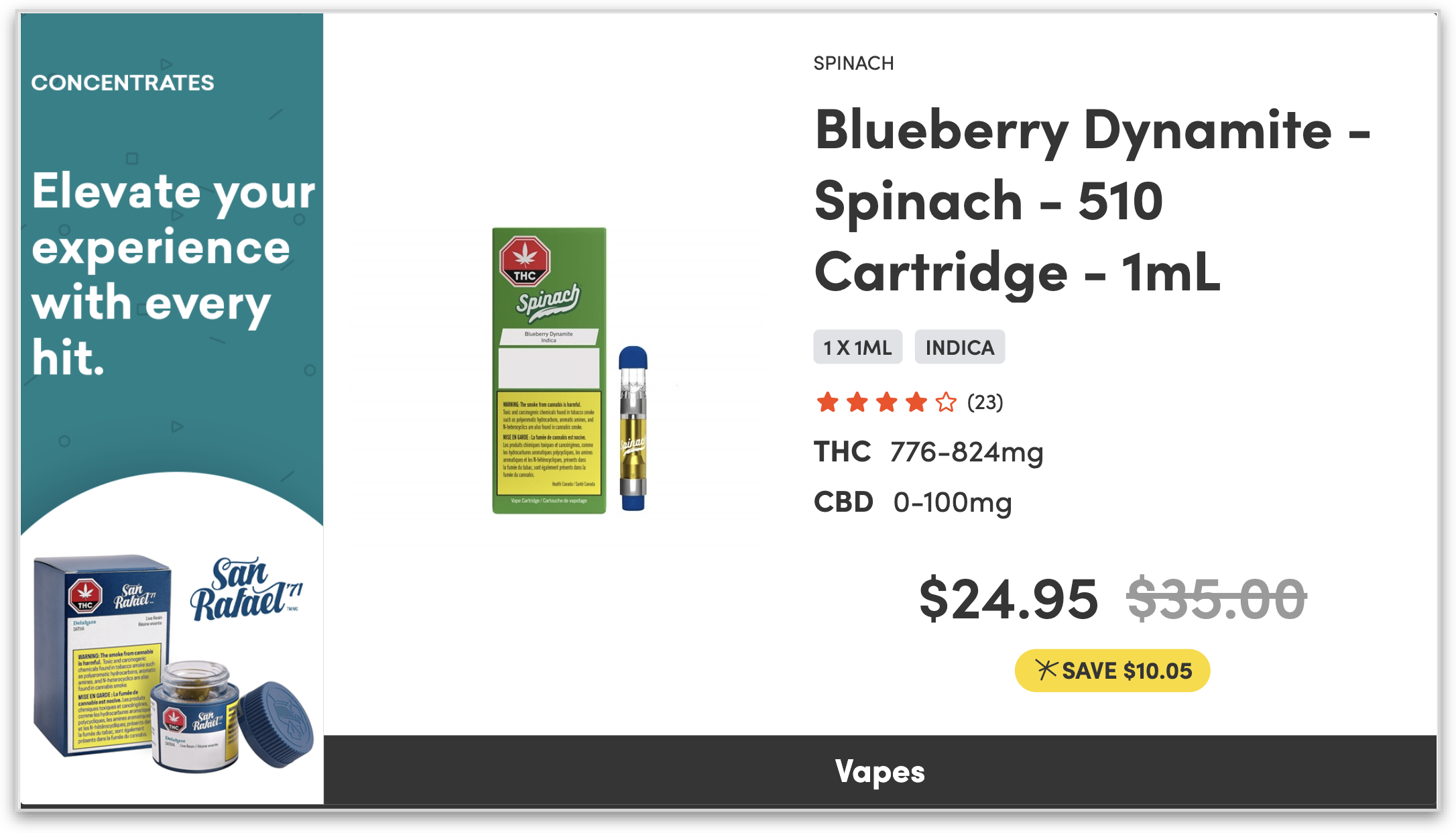
For a more detailed step by step set up of this menu template see Product Feature Menu
Full Product Lineup + Promo
-
Displays full inventory based on selected categories, OR
-
Displays one page of top selling products for each category selected.
-
Two formats available:
-
Structured: multi-variation per line; full details including THC and CBD;
-
Simple: single variation per line, name and price only.
-
-
Include promo ad (optional).
For a more detailed step by step set up of this menu template see …
Full Product Lineup - Member Pricing
-
Displays full product lineup of member priced products by category.
-
Select up to 6 categories to display.
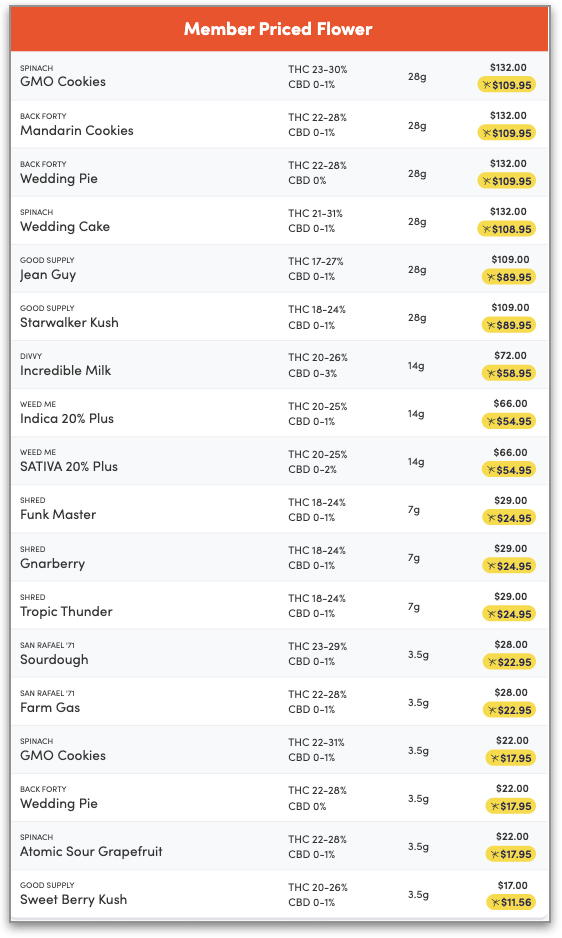
For a more detailed step by step set up of this menu template see Full Product Lineup - Member Pricing
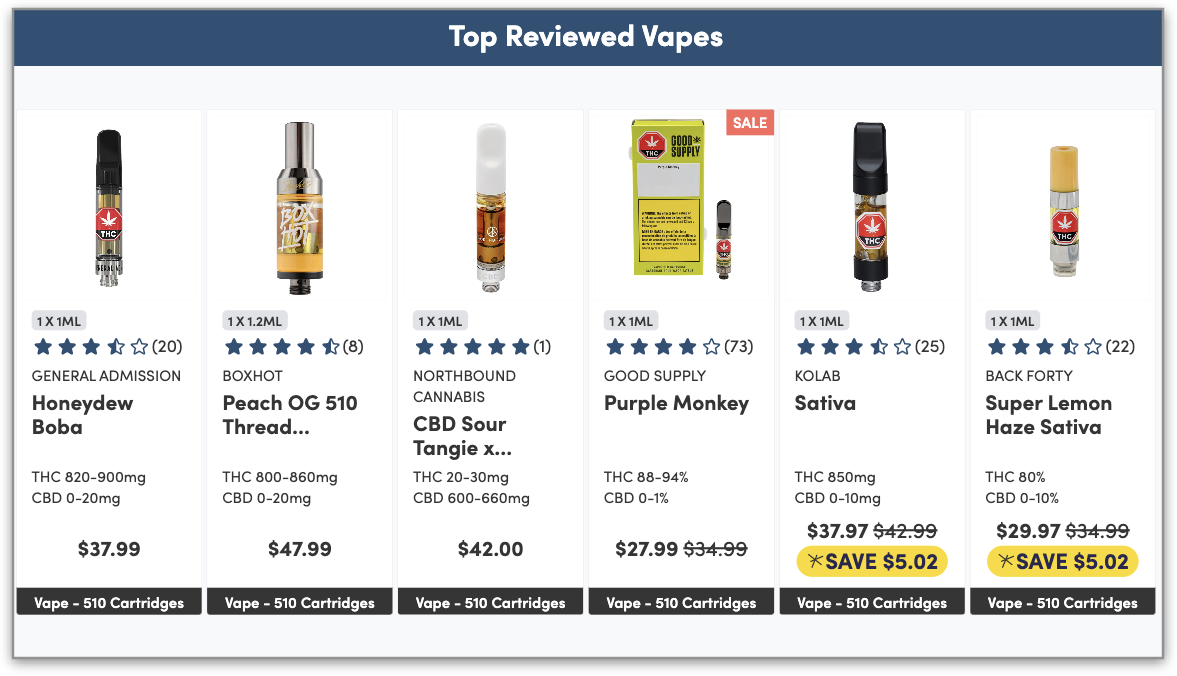
Top Reviewed
-
Select up to 6 categories to display.
-
Product Card Display: 4 products per screen.
-
Includes Title per category: Top Reviewed <category>.
Top Sold Categories
-
Select 6 categories to display.
-
Top 4 products per category are displayed on a static screen.
-
Includes Title per category: Top <category>.
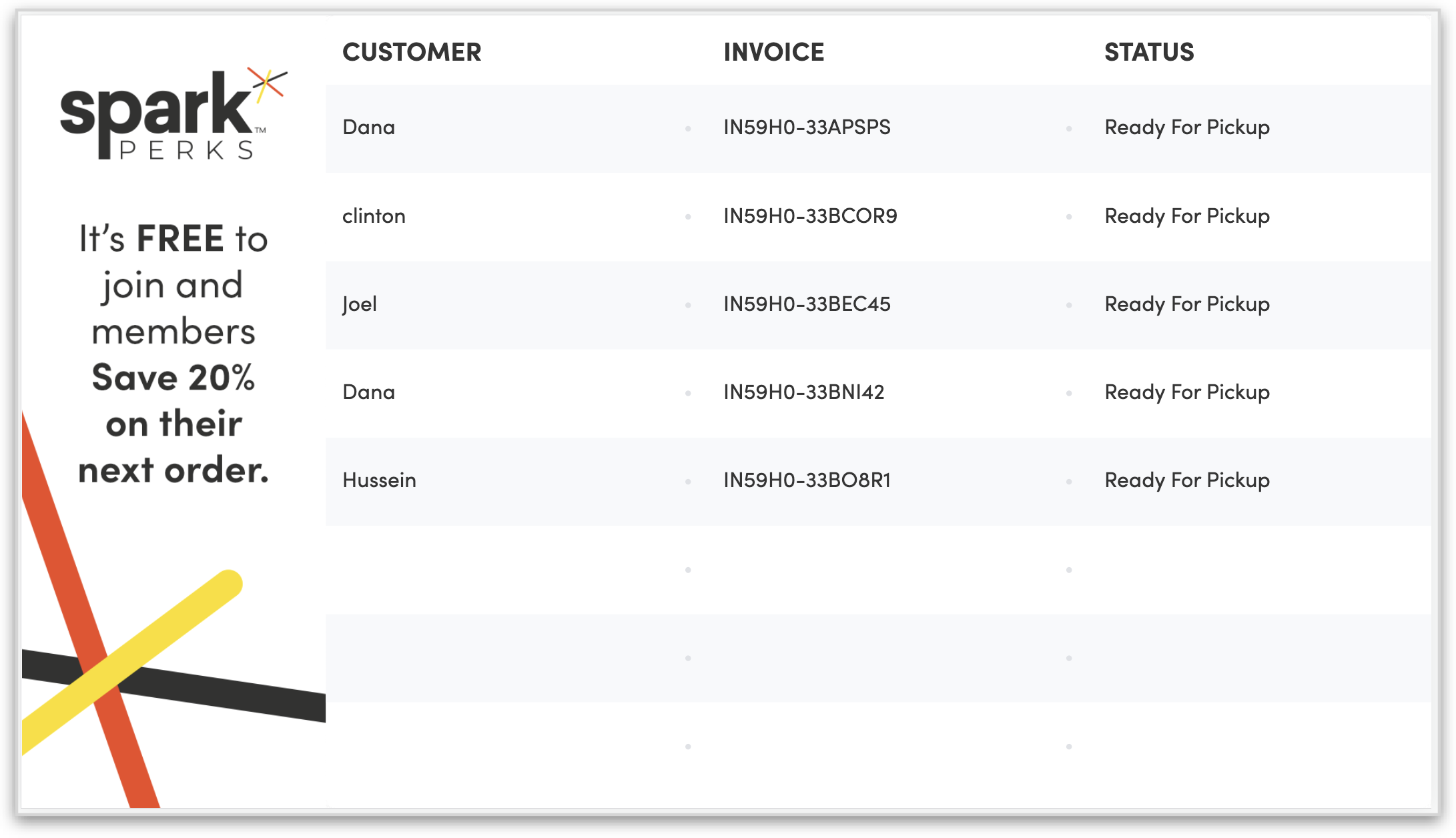
Spark Fastlane + Promo
-
Displays member only orders that are in the Ready for Pickup status.
-
Ad is 50% of the screen.
-
Best used in Portrait mode.
Pickup Orders + Promo
-
Displays member and guest orders that are in the Ready for Pickup status.
-
Ad is 20% of the screen.
Promo
-
Displays rotating creative assets used to promote LPs, Brands, specials, or announcements.
-
Ad is 100% of the screen.
-
Static images and videos are supported.
-
Content can be assigned a specific schedule to display (by day).
Menu / Promo Ad & Promotion Screen Assets
The main assets used in Digital Displays is the full screen Promo, however some of the menu templates offer the option to include a small menu ad / promo banner to the screen.
The asset sizes for those full screen promos and the smaller menu ads are:
|
Dimensions in Pixels (px) |
Portrait |
Landscape |
|
PROMOS |
|
|
|
Portrait |
1080 x 1920 |
- |
|
Landscape |
- |
1920 x 1080 |
|
MENU ADs |
|
|
|
Portrait |
1080 x 440 |
- |
|
Landscape |
- |
440 x 1080 |
|
SPARK PICKUP BOARD AD |
|
|
|
Pickup Orders: Portrait |
1080 x 415 |
- |
|
Pickup Orders: Landscape |
- |
415 x 1080 |
|
Spark Fastlane: Portrait |
1080 x 960 |
- |
|
Spark Fastlane: Landscape |
- |
960 x 1080 |
Static assets should be in JPG format or PNG (as long as it’s not transparent), while videos should be MP4 file format. On upload the JPG files will be converted to WebP format.
|
Important: Remember to compress VIDEOS before uploading! Video compression tools: xConvert for mp4 |
For more information or questions about the setup and requirements, please contact your Hifyre representative.