
No more having to spell out your email! Introducing the Spark Perks wallet card - easy to download and even easier to use.
The wallet card improves the accuracy in profile attachment, and creates a seamless customer experience.
You can now download your wallet card directly on mobile sites:
-
Go to fireandflower.com
-
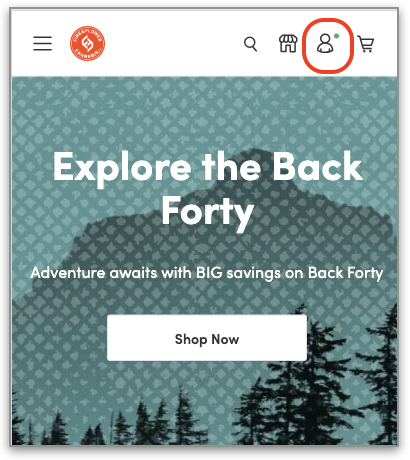
Click on the profile icon on the top right hand corner of the shop site:
-
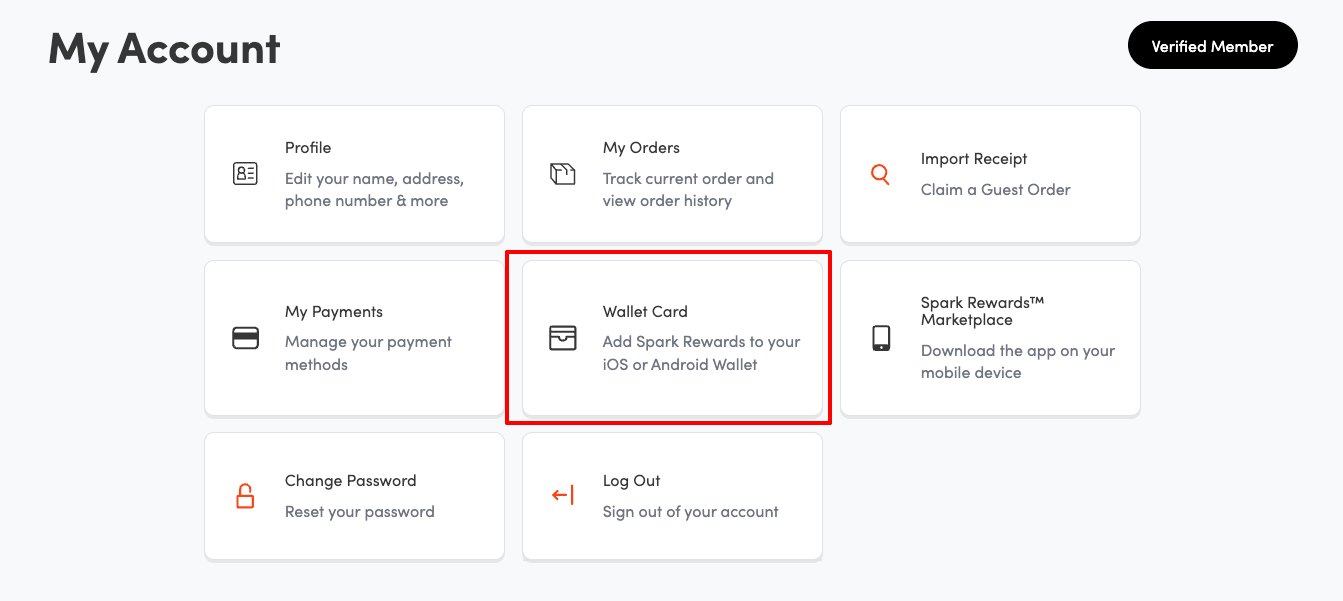
Once logged in, you can click on "Wallet Card" to download the digital card:
-
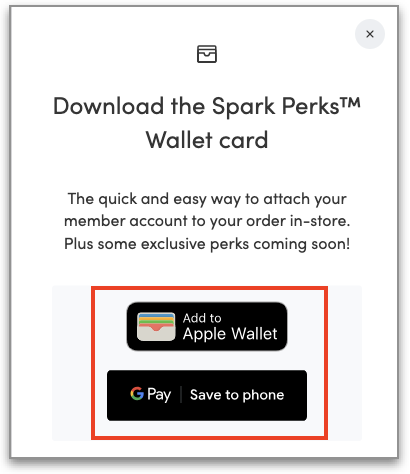
Click Apple Pay or Google Pay:
-
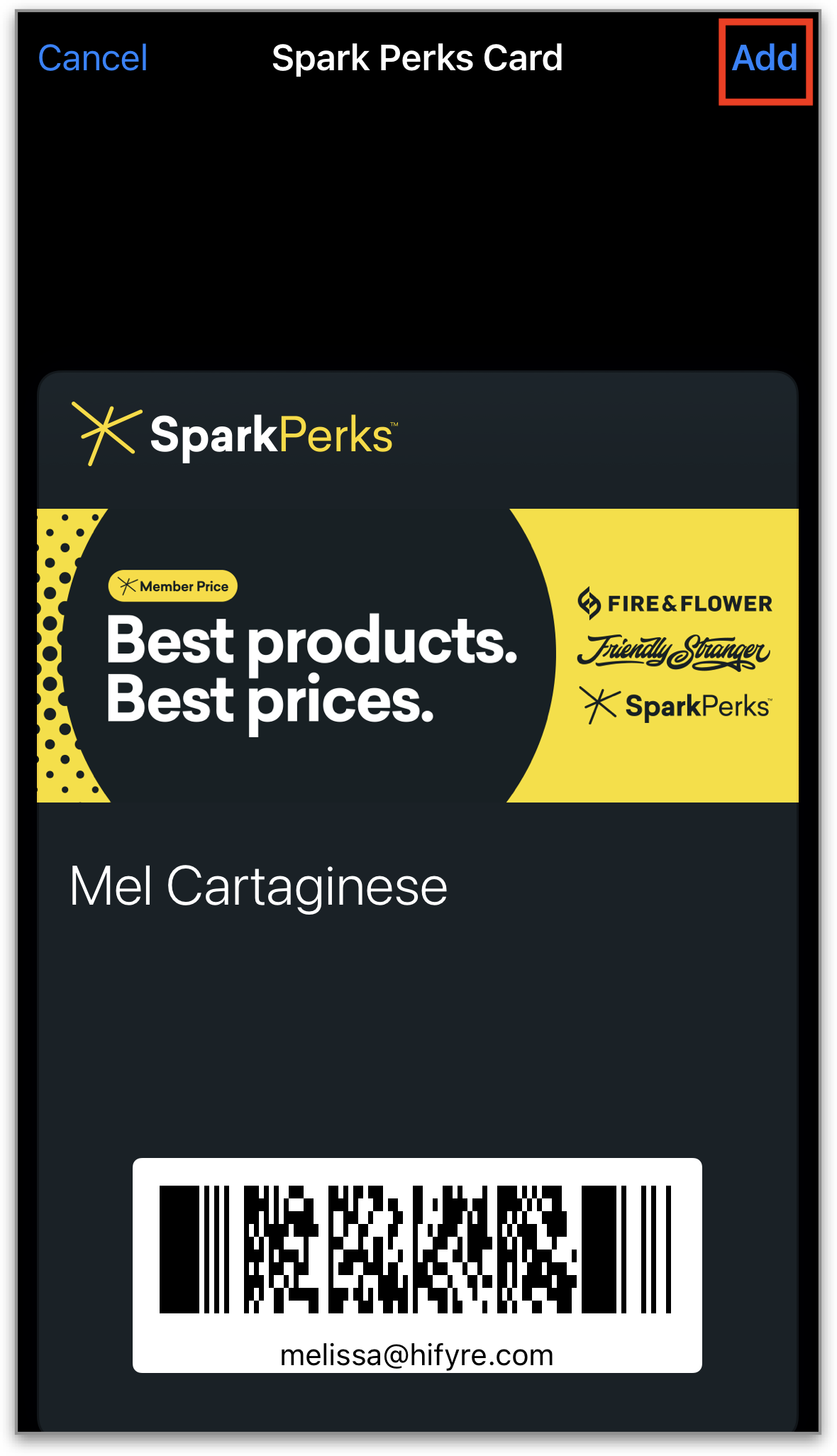
Click “Add” to add to your wallet card:
-
The barcode on the card has the member email info embedded so that it can be easily scanned in shop for a seamless customer experience.