How do I merge an account?
You can merge accounts in Clienteling. We merge by selecting the account that won't remain, and merging it into the surviving account. Strong suggestion to merge into an account that has been logged in and or has completed profile information.
-
Navigate to Clienteling
-
Select the Customer’s Profile that is intended to be merged (i.e., will not remain as the active account)
-
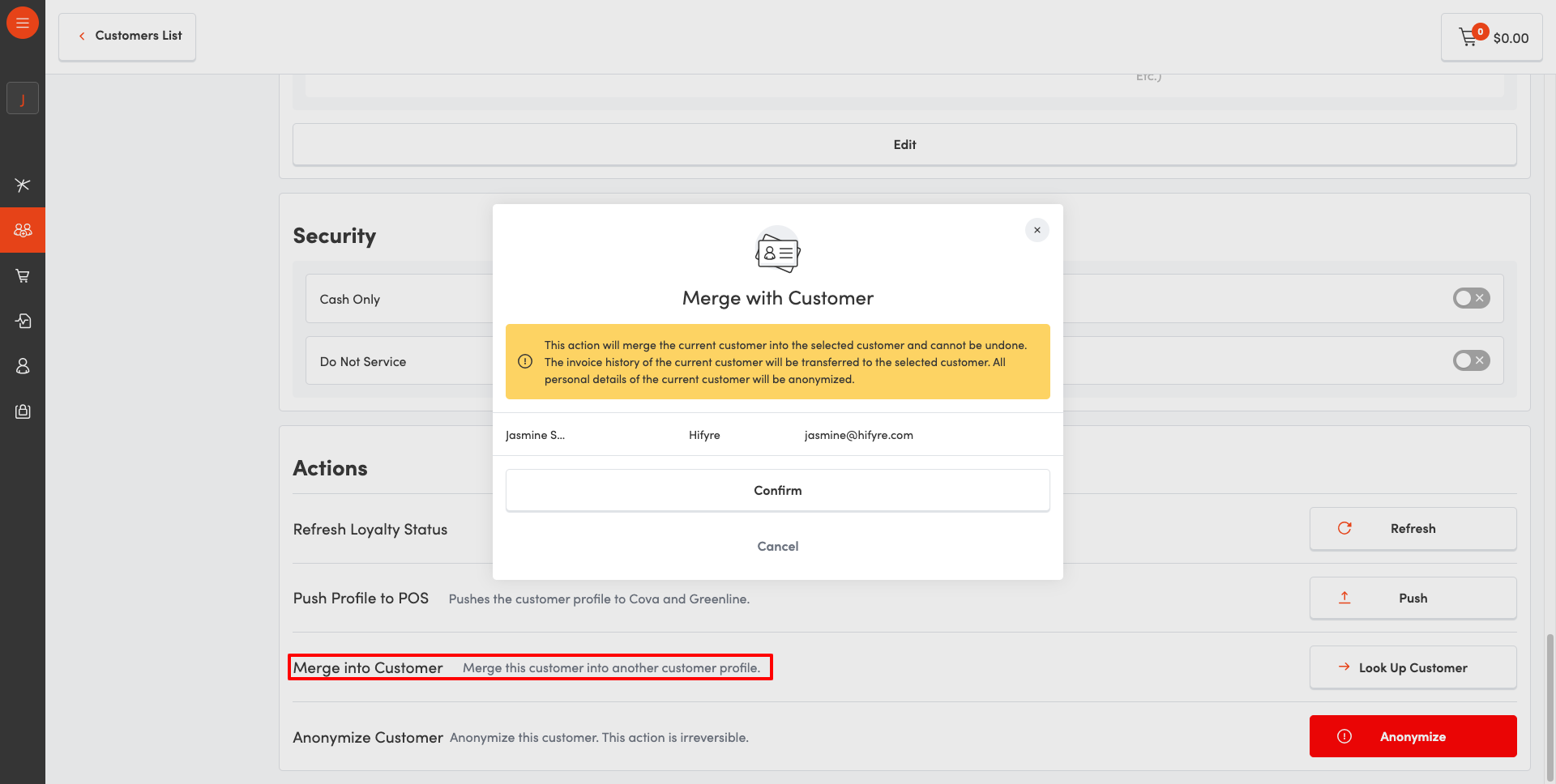
Go to Profile > Actions > Merge
-
Select the Customer’s Profile that you want to merge into (i.e., will remain as active account after merge)
-
Confirm Merging of accounts
Note: Merging of accounts cannot be undone. The invoice history of the current customer will be transferred to the selected customer. All personal details of the merged customer will be anonymized.
How to correct misspelling of names and how to change an email on the account?
Budtenders can update names and emails of customers in Clienteling.
-
Navigate to Clienteling
-
Select the Customer
-
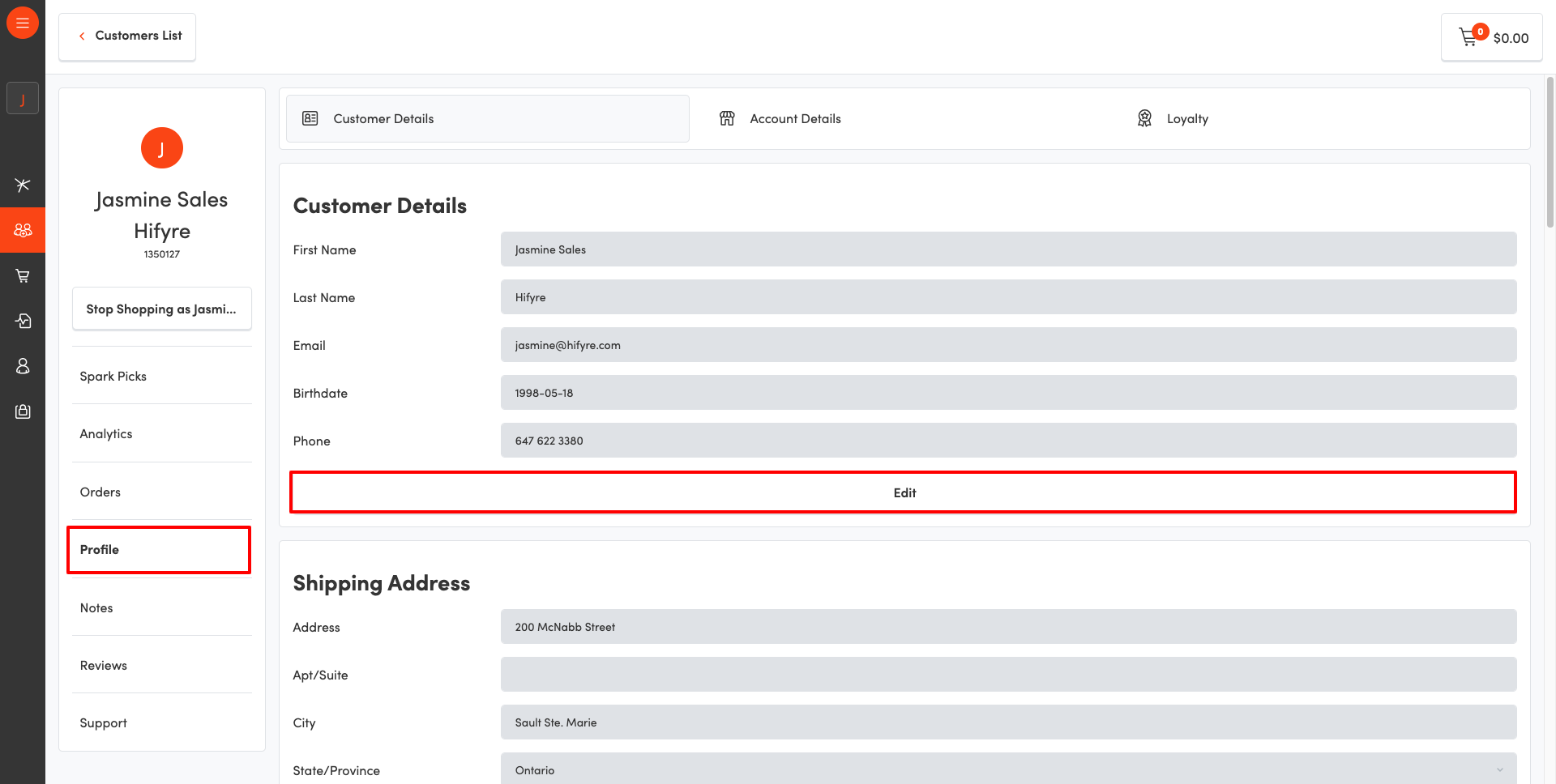
Open their Profile > Customer Details
-
Select Edit
-
Save Changes
Customers can update their names through the application, or online. They currently do not have the ability to update their own email address.
An account is displayed in Hifyre, but not in my POS. How can I push this account to my POS?
Opening the account in Clienteling will automatically push the profile to the POS. This will take place immediately.
I have an account in my POS that is not displayed in Hifyre. How do I push this account to Hifyre?
Send an email to info@spark-rewards.com with the following information:
-
Customer Name
-
Email
-
Phone Number
-
Store/Banner
How do I add/remove an employee distinction to a profile?
The status of Employee Distinctions are refreshed on a weekly basis, every Tuesday morning. Wait until the next Tuesday for updates to be reflected.
Note that the Employee Distinction is added to a user’s personal email, that is submitted to Dayforce upon onboarding.
How can I assist a customer with verifying their account?
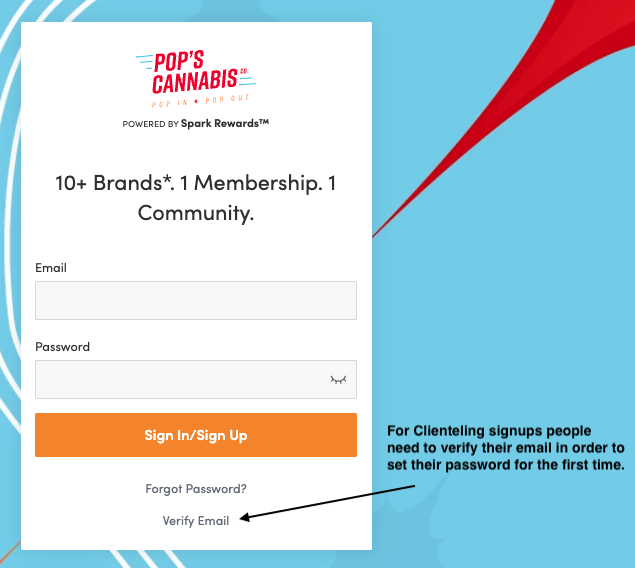
If a customer has signed up via Clienteling, and never signed in - they need to complete their account set up. They can do so by triggering a Verify Email flow through the login screen, which sends a Verify email to their inbox. From that email, they can complete the account completion flow.