
Order Inquiries
How do I find a customer order?
Within Clienteling, there are two ways to find a customer order
Through Customer Search
-
In Clienteling, look at the Invoices for the specific member
-
Navigate to Customer’s Profile
-
Select Orders
-
Select Active - Online or Invoices (for completed orders)
-
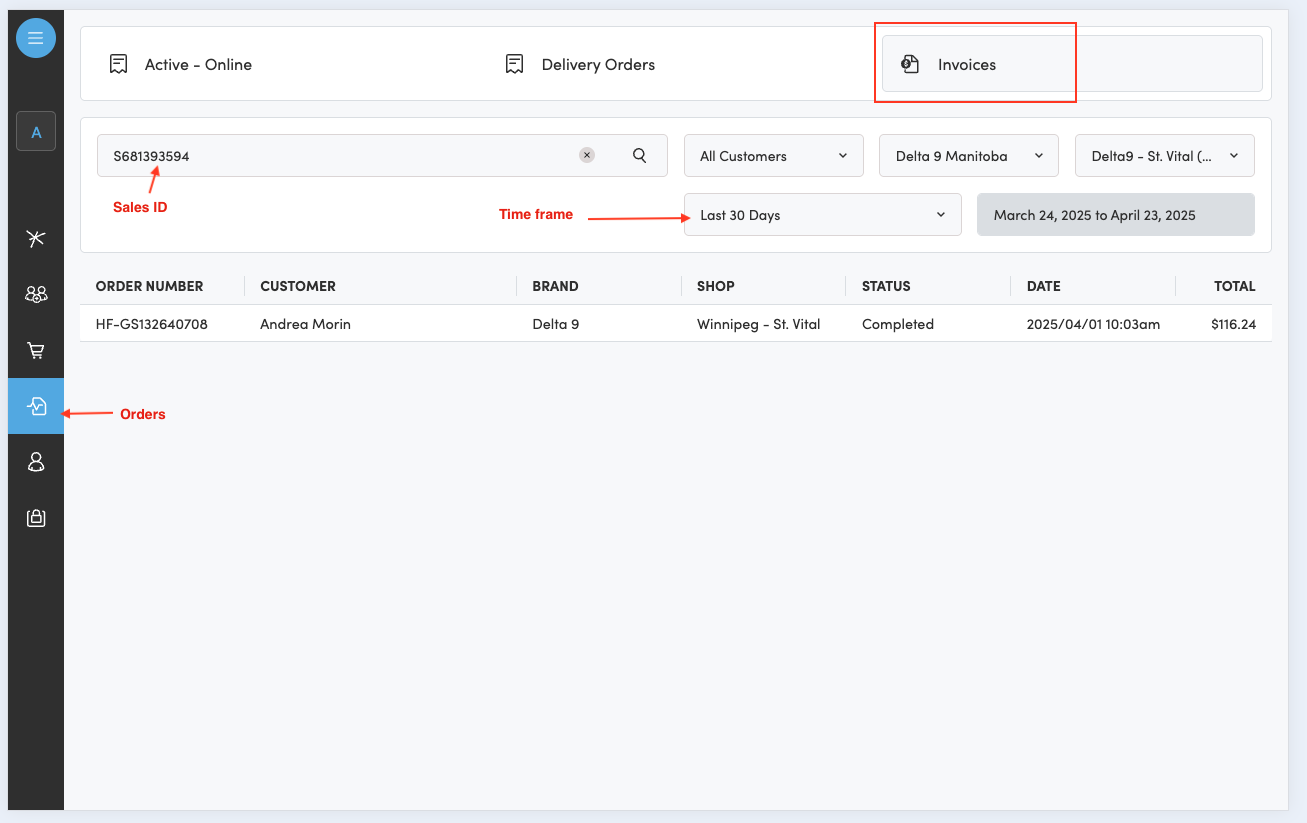
Invoice/Sales receipt number search
-
Navigate to Clienteling
-
Open the Orders tab > select Invoices
-
Add the Sales ID
-
Filter for the correct dates/store location
-
Search
-
A customer claims to have placed an order online or from the app but I do not see the order on the POS. Is there somewhere I can look for the order?
There are times where the order has been created online or via the app but the receiving POS does not process it properly and the order ends up in a failed state.
You can check for the order in Clienteling and verify the status of the order. There are two ways in which you can do this, through Active Orders, or the Customer’s Profile:
Active Orders
-
In Clienteling, look at all Active Orders for your store:
-
Navigate to Orders
-
Select Active - Online
-
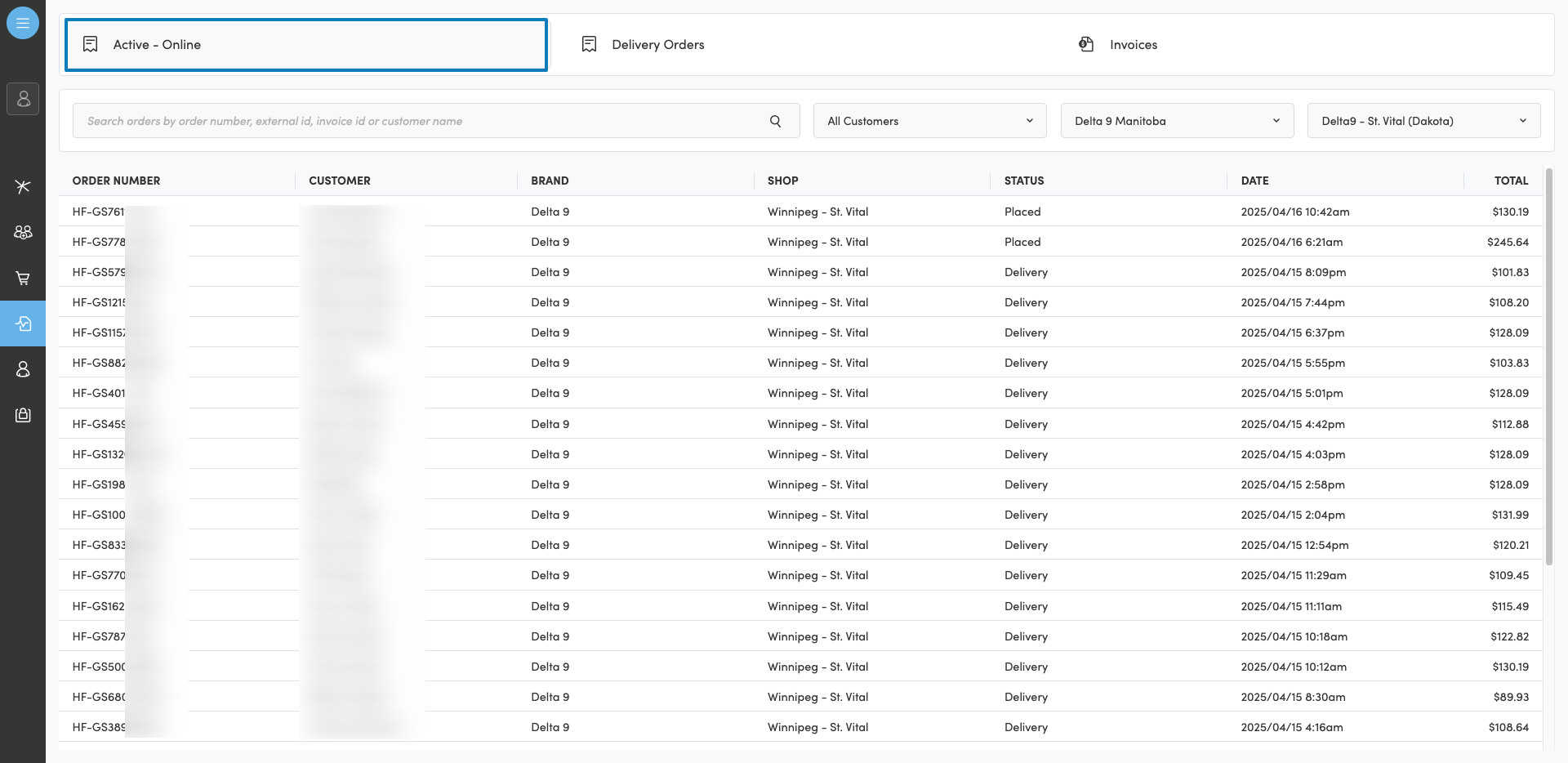
Navigate to Orders > Active - Online to check for orders missing in the POS
Customer’s Profile
-
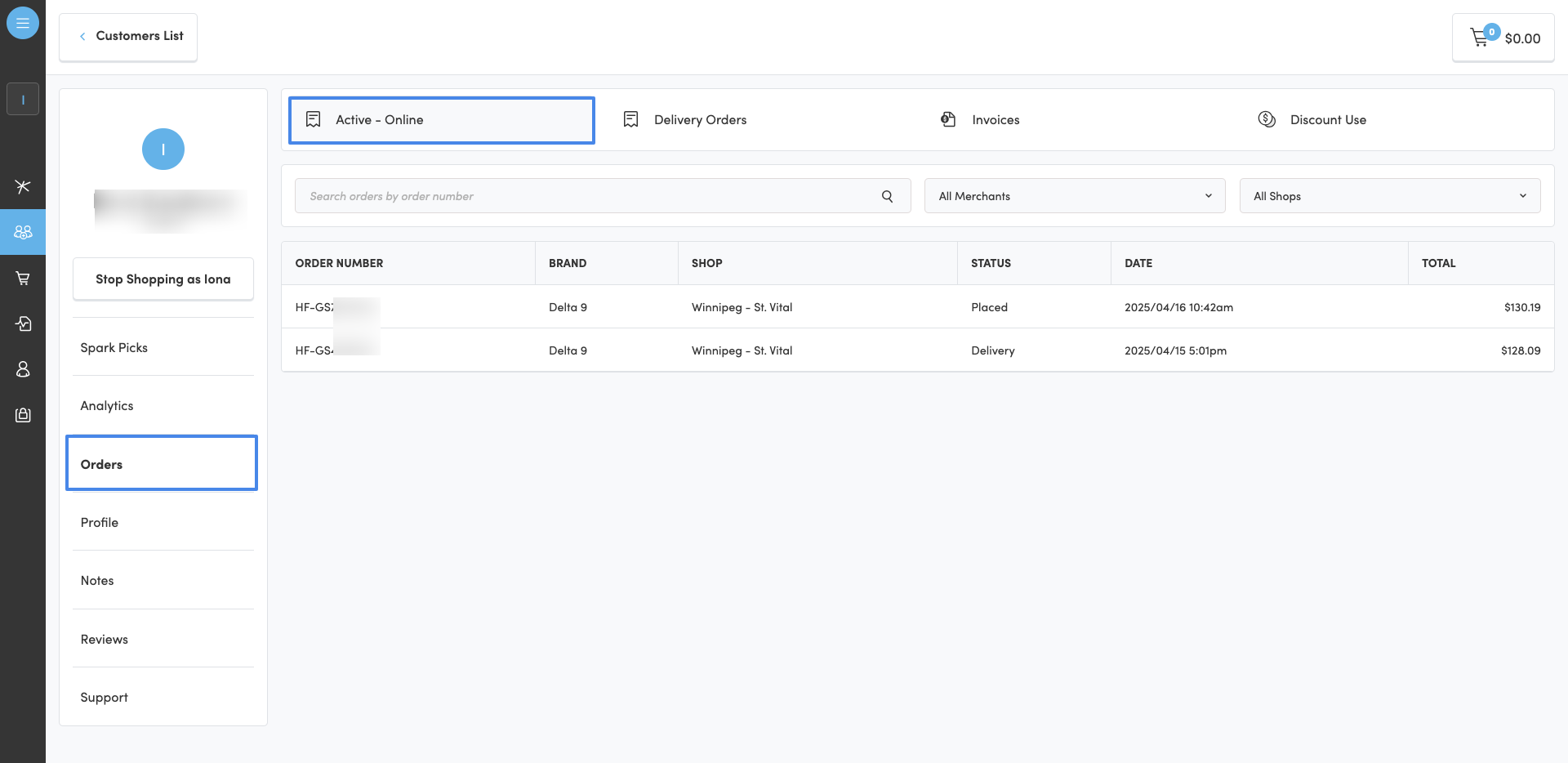
In Clienteling, look at the Active Orders for the specific member
-
Navigate to Customer’s Profile
-
Select Orders
-
Select Active - Online
-
A customer claims they have been double charged or charged multiple times for an order. How can I better understand what occurred with the customer’s payment history?
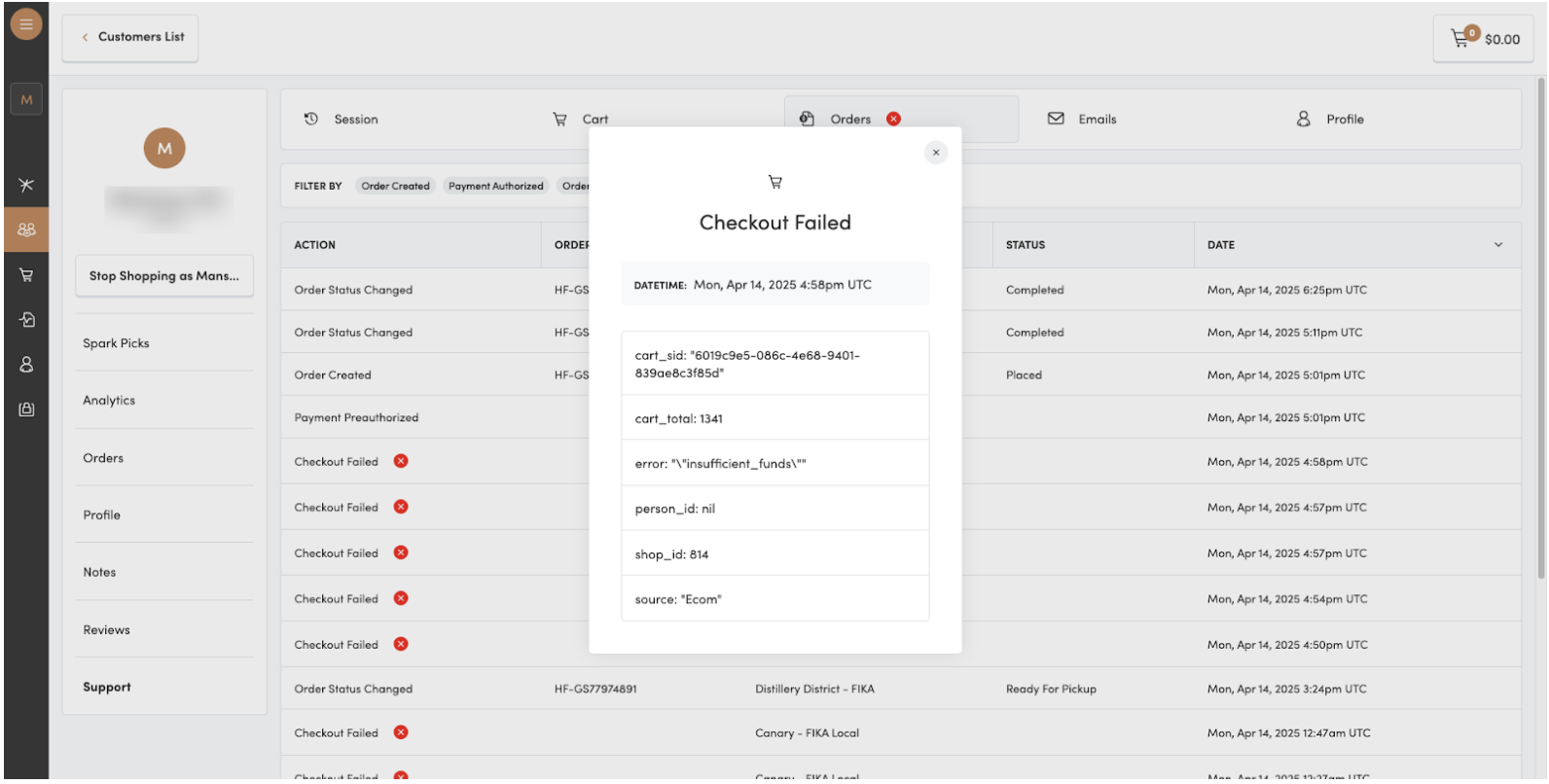
To get a better understanding of what occurred with the customer’s payment history, you can navigate to the customer’s profile in Clienteling, and view Support.
Support provides a picture of how the customer interacted with Hifyre.
-
Navigate to Clienteling
-
Select the Customer’s Profile
-
Go to Support > Orders
-
View the logs for Errors and Error Codes
Note: Failed authorizations such as insufficient funds, error with credit card information (CVV), may sit as a pending charge until the customer’s bank reverses it. Hifyre has no control over the removal of pending authorizations from a statement.
A customer claims that they have pre-paid for the order. My POS is showing that they have not. How do I validate if an order has been pre-paid or not?
You can validate if an order has been paid for in a few steps:
-
Navigate to Clienteling
-
Go to Orders: Active - Online
-
Open the order in question
-
If the field
PAYMENT STATUS = Paiddisplays, then order has been pre-paid -
If the
PAYMENT STATUSfield is hidden, then the customer has not pre-paid for the order
I charged a customer for a pre-paid order in-store, as it did not display as paid on the POS. How do I refund a customer being charged twice?
To refund the original payment on the order you will need to email the order details to help@hifyre.com Needed details are:
-
Brand + Store Name
-
Customer Name
-
Customer ID (Clienteling ID and/or email address)
-
Order Number + Date
-
Confirmation of tender type in store
Does cancelling online orders in Greenline issue a refund?
Cancelling an online order does NOT issue a refund. In order to ensure a refund is processed against the original transaction and no manual intervention is needed, follow these steps:
-
Complete the order
-
Refund the order on the POS
You cannot cancel a paid order in Cova.
How can I refund an order?
If the order has not been picked up:
-
Complete the order
-
Refund on the POS
If the order was previously completed/picked up:
-
Refund on the POS as per normal process
If the order was accidentally cancelled on the POS instead of being completed:
-
Refund in Clienteling
-
This does not update inventory in the POS, it just manually pushes the refund for the customer.