
Employee Discounts
The Enterprise Team Member Discount Program gives all active FIKA Company team members
the ability to take advantage of their 25% off regular priced cannabis and 25% off regular priced
accessories (no cap) at any of the FIKA Company banners.
How to participate in this program
Employees who elect to participate in the Program must have a Sparks Rewards
Account. By creating a Spark Rewards Account, you are electing to participate in the
program, and abide by it’s terms of use.The email associated with your Spark Rewards Account must match your Dayforce
Personal Email. This information is how we will manage our accounts to ensure all
team members can take advantage of this fantastic program.
What to expect:
Once you have a Spark Rewards Account with the same email that is associated with
your Dayforce Personal Email you will be enrolled in the program.Employee participants will be uploaded and enrolled in the program every Tuesday
Example: If you have a team member starting Wednesday- Monday, they will be
enrolled in the program the following Tuesday, if they have created a Spark Rewards
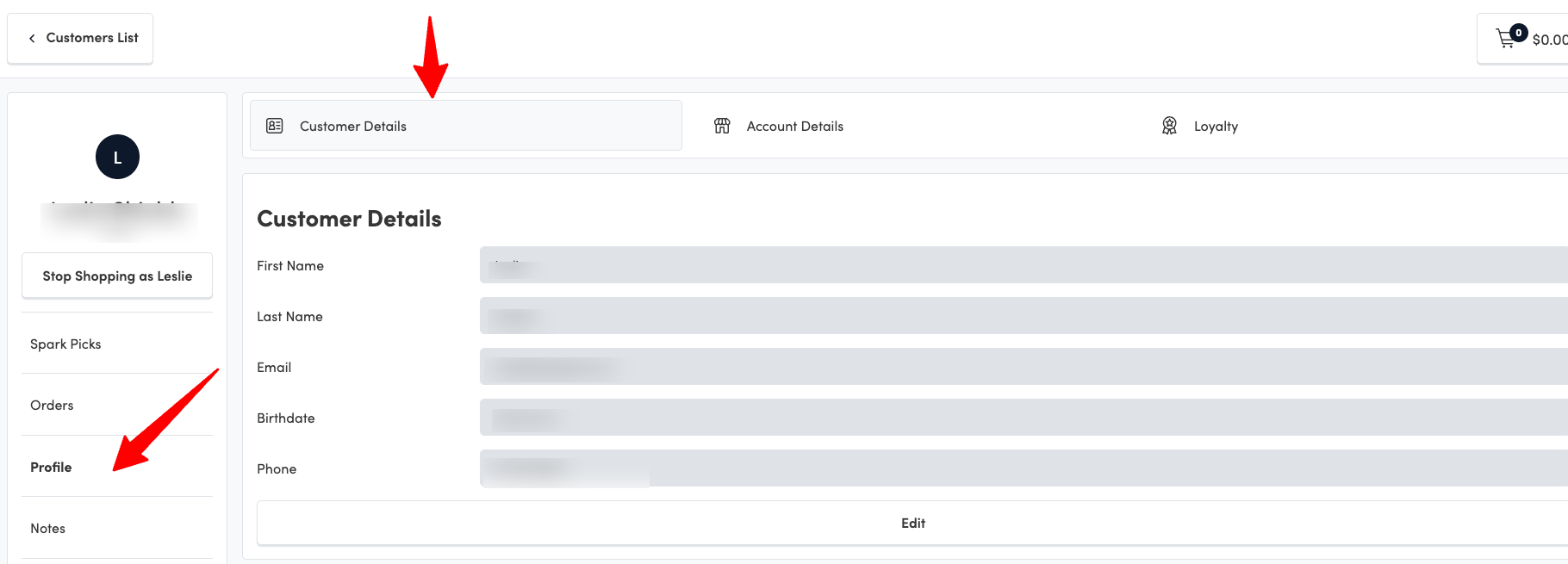
Account that aligns with their Dayforce Personal Email.You will then see the employee destination on the account
Select the account account, go to profile and then the customer details tab
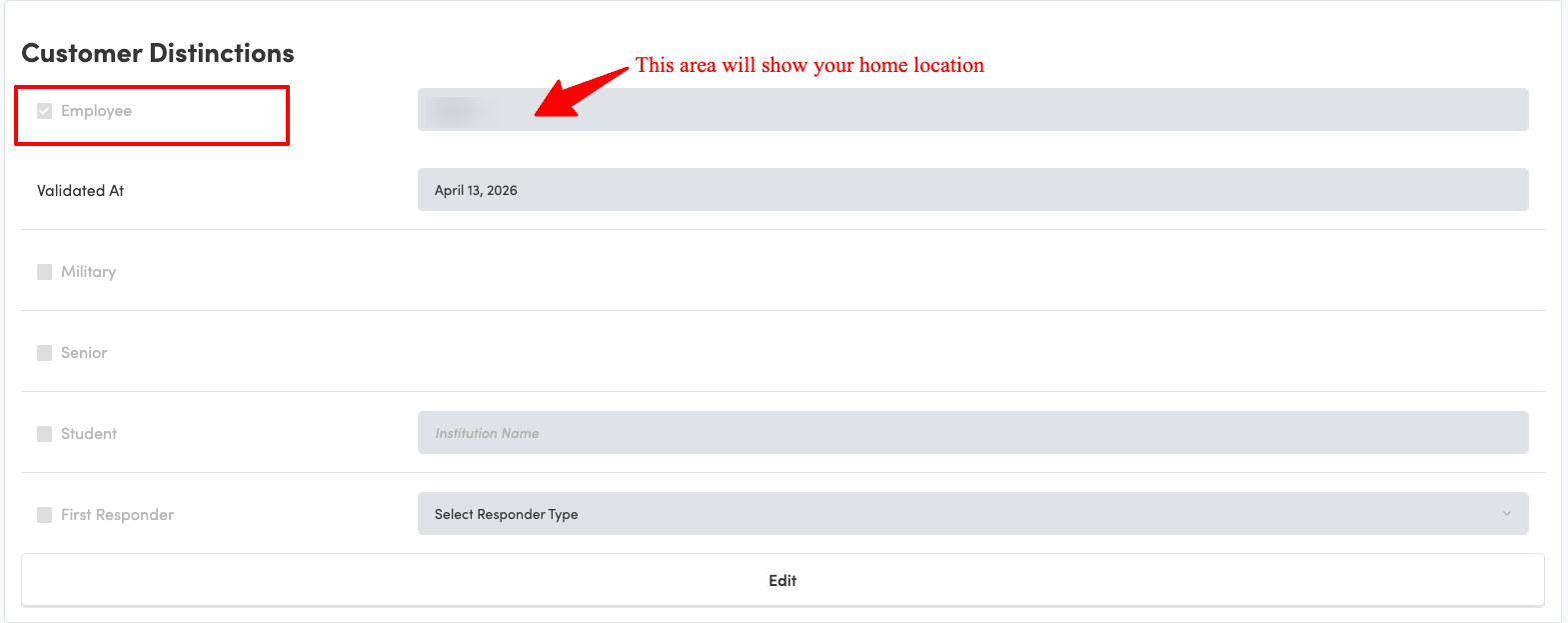
Scroll down to Customer Distinctions, you will see a check mark next to employee
How to use your discount
Employees will have the option to use their team member discount online; both on
the website and the mobile app or in-store with clienteling.
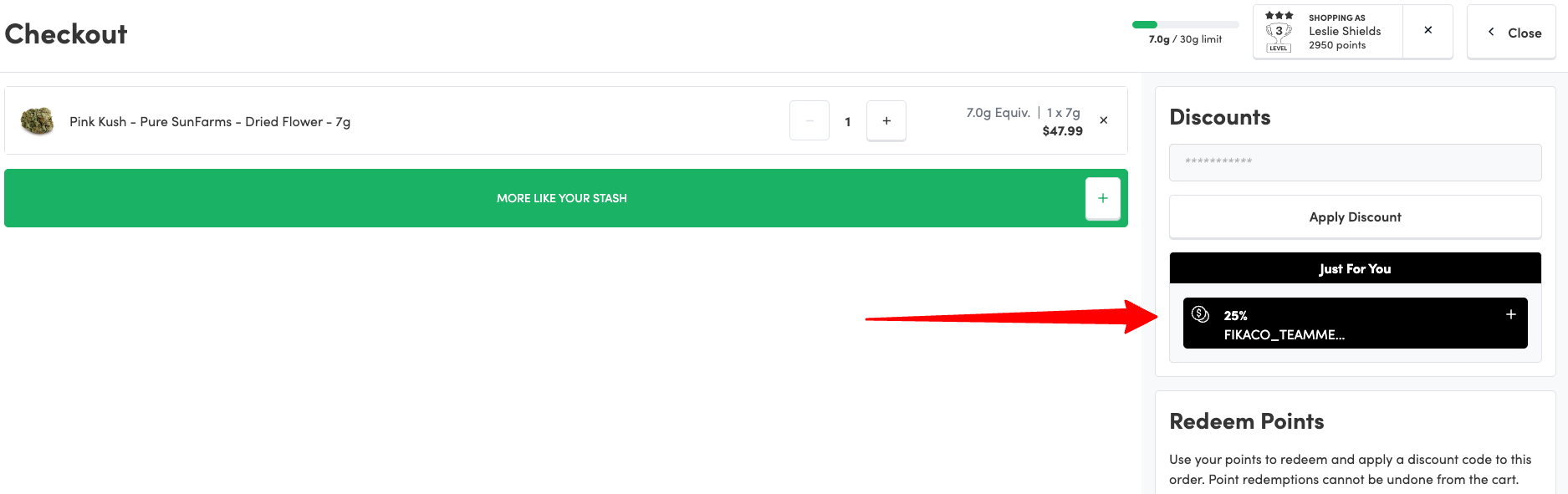
Once designated as an employee you will see the
employee discount code in your cart (Code: FIKACO_TEAMMEMBER). You will
need to add the discount to your cart each time to apply the discount to any regular
priced items that you are purchasing.
FAQ
Q: What if my current Spark Rewards Account has a different email than my Dayforce Profile
A: No worries, please reach out to info@spark-rewards.com and our support team will be able
to assist with updating your email or merging accounts.
Q: I don’t know what email I used as my Dayforce Personal Email; how do I check?
A: Login toDayforce via your employee profile.
• Select Profile.
• Review Contact Information.
• Ensure your personal email address is up to date.
• Should you need to update, select the pencil icon, make edits, and click “Save”.
Please Note: It is incredibly important to keep your personal profile and email address up to
date on Dayforce.